

The Samsung S26 Ultra now has a new feature called the Privacy display, which basically does the work of a privacy screen protector but way better.
While using a privacy screen protector, at blacks out the whole screen of the phone for someone who is viewing from another angle, but the S26 Ultra can even black out specific regions of the phone without blacking out the whole screen, for example- it blacks out only the notification pop ups.
You can even select on what apps you need privacy display, so you wont need to turn it on manually, like turning the feature on for messaging apps like WhatsApp or Instagram.
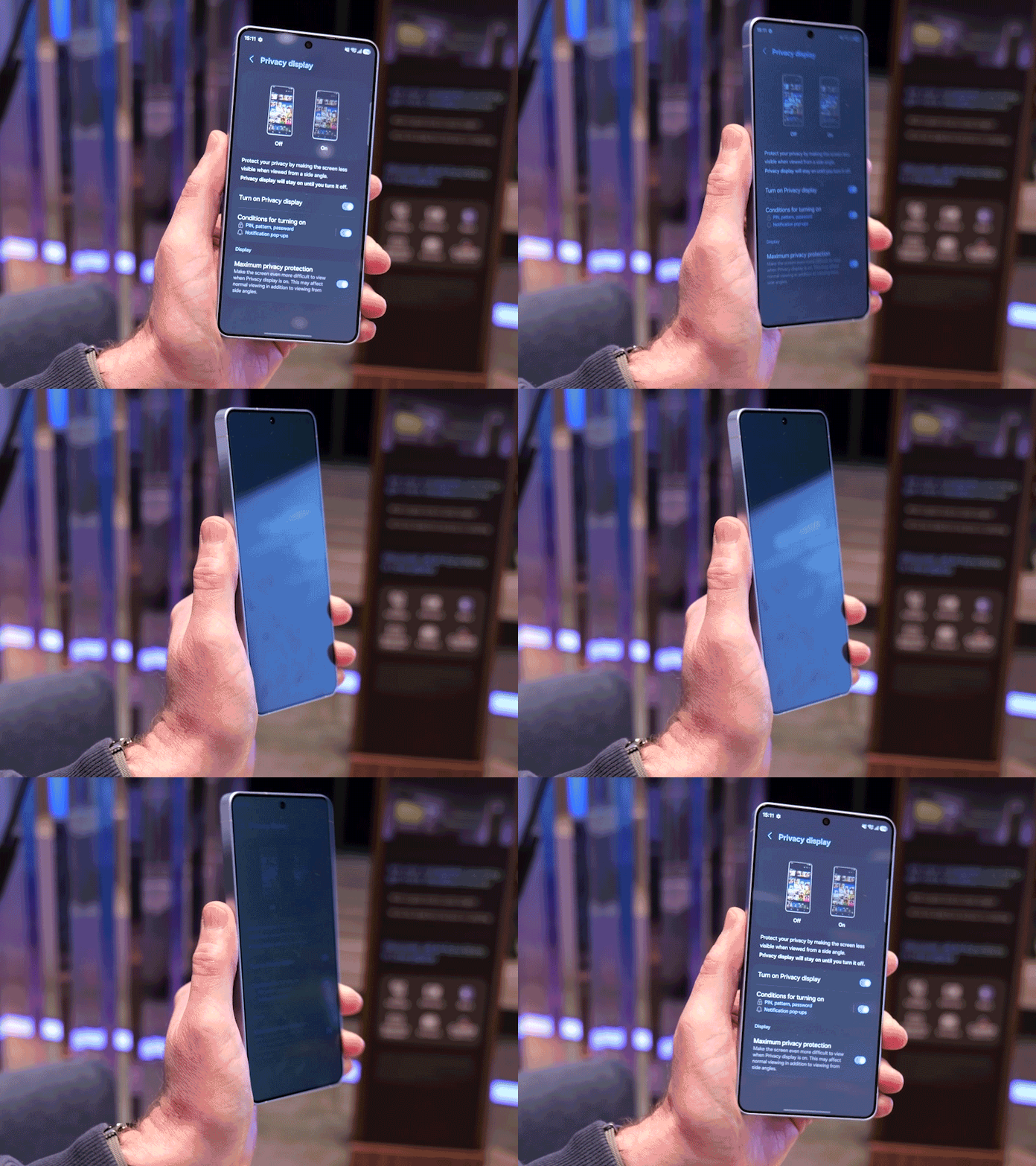
How the Privacy Display works
When activated, the screen’s pixels move dynamically to keep the display visible when you look at it straight on, but then appear dimmed when seen from the side by the people around you.
This is because there are two types of pixels mixed on the screen, which are-
Wide pixels- shine widely with which the screen is visible from all angles
Narrow pixels- only fire light straight, so viewing from an angle won’t work
So when it is turned on, the normal pixels are turned off, the phone achieves what the privacy screen protectors can do.

Some downsides of the new feature
Since turning Privacy display on causes many pixels to turn off and black out, the resolution of the screen falls, which you can only see if looked very closely
SInce pixels turn off to achieve the effect, brightness of the S26 is toned down while using privacy display, which is why using it on specific sections or the apps selected would be better.
Read more of our blogs here